About Sky Studyo
Sky Studyo is a free online tool to simulate the real sky. Choose any place on Earth and any time of day, and it renders a hyper-realistic version of that sky in your browser, with the real Sun, Moon and stars, clouds and weather from the live forecast, and ambient sound.
You can then change anything by hand, restyle the scene as a painting or pixel art, and save it as an image, a video or a live embed.
Why I made it
Since I was a kid, I would lie down on the terrace and look up at the sky with wonder. It never ceases to impress you with its variability and peace. We all look out the window to check the sky, and hear the noise outside to predict the weather.
When I was doing research to see if there was any tool to render the sky, I was baffled that there was none. That's why I created this tool. The sky has more weather systems and phenomena than we can ever experience from where we are. This platform uses weather data to render a hyper-real sky in any location, with rich ambient sound.
How it works
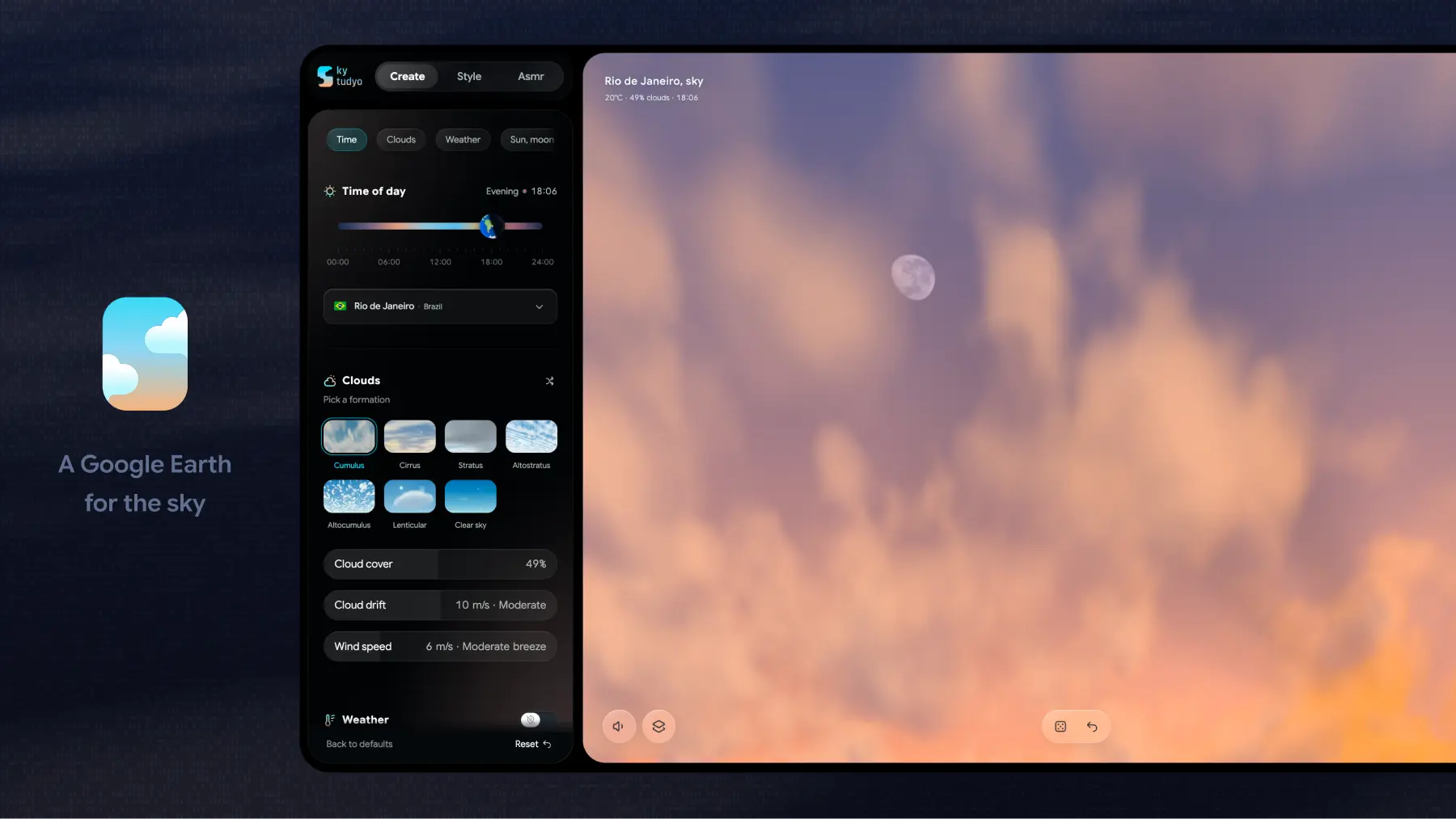
- Pick a place: search any city, country or region, use your device location, or press Surprise me (or S on a keyboard) to jump to a random place and its live sky.
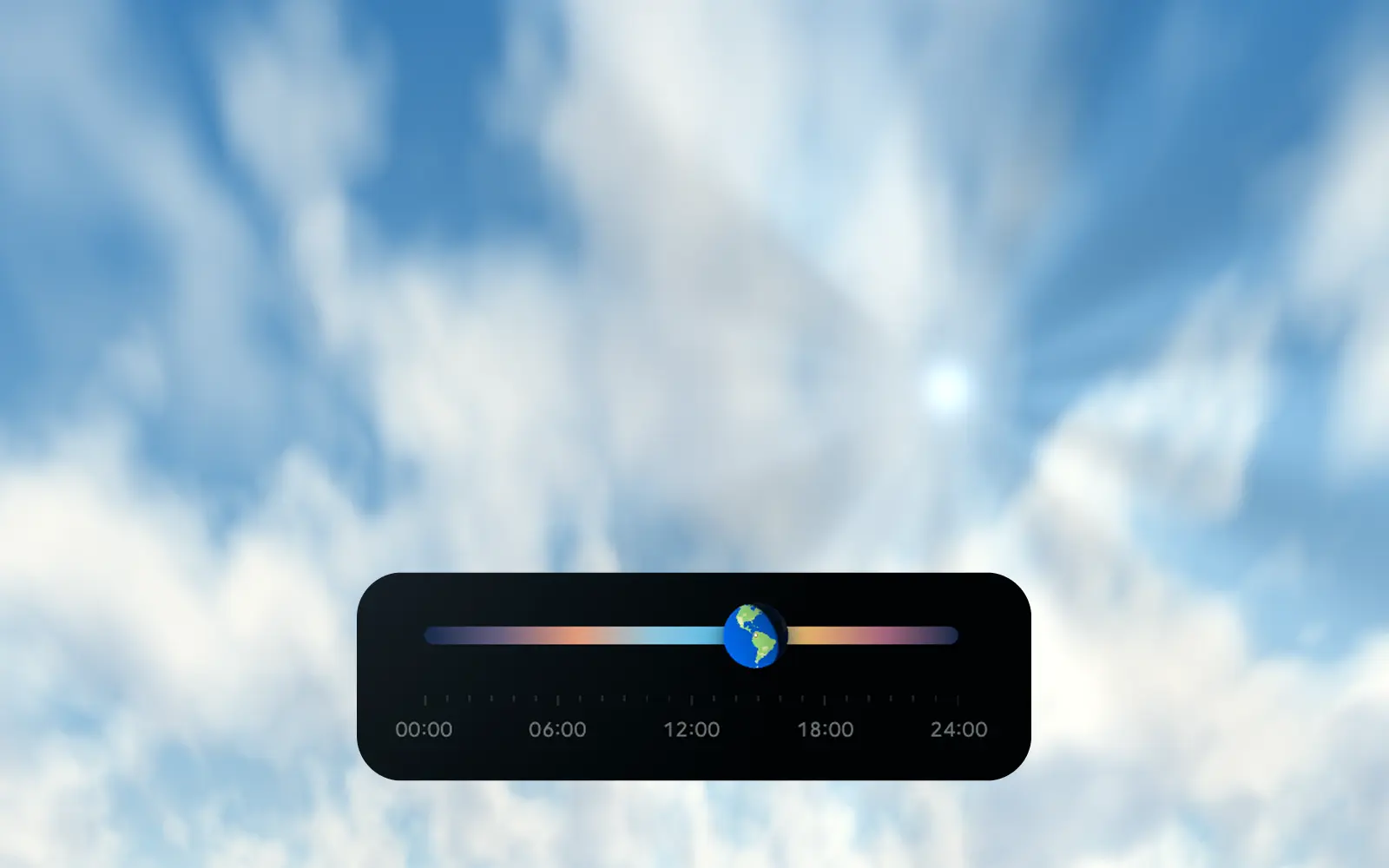
- Set the time of day on the daylight timeline, which shows today's dawn, day, dusk and night for that place.
- Let Auto follow the place: the weather, sky phenomena and aurora each have a switch that shows whether they follow the forecast. Turn one off to set it by hand.
- Make it yours with styles, adjustments and layers, then save it as an image, a video, a preset or a live embed.
What it draws
- The real Sun, Moon and stars for the place and time: the Sun and Moon where they really are, the Moon's phase, the bright stars of the Yale Bright Star Catalogue and the naked-eye planets. Solar and lunar eclipses can be added.
- Six cloud types: cumulus, cirrus, stratus, altostratus, altocumulus and lenticular, or a clear sky. Cirrus streaks follow the upper-level wind.
- Eleven kinds of weather: drizzle, rain, snow, hail, fog, lightning, sheet lightning, mammatus, shelf and roll clouds, contrails and a tornado.
- Twelve optical and night-sky phenomena: rainbow, fogbow, halo, Moon halo, sun pillar, crepuscular rays, the green flash, the Belt of Venus, Earth's shadow, noctilucent clouds, airglow and meteor showers.
- The aurora in four forms (arc, curtains, ribbons and corona), driven by the current geomagnetic activity, with five colour palettes named for the height they glow at, from Emerald (100–150 km) to Sunlit Violet (up to about 1,000 km). See the aurora simulator.
- Haze and city light: desert dust, wildfire smoke and smog tint the sky as they do outside, and at night a city's lights glow on the cloud base.
- Sound: wind, rain, hail and thunder, and the birds, insects and frogs of the place and hour. See how the sound is made.
Sound, made for the place and hour
Almost everything you hear is generated live in the browser from the scene, not played from a loop, so it never repeats exactly. It changes with the forecast, the region, the season and the time of day.
- Wind follows the forecast's speed and gusts: gusty on a warm afternoon, steady at night, a howl past near gale. It also takes on what it blows through: pine needles sigh lower, bare winter twigs whistle thinly, desert sand starts to hiss above about 6 m/s, and wind over an ice sheet drains downhill steadily.
- Rain, drizzle, hail and snow are built from countless tiny impacts. Hail clatters over the low roar of the storm, while snowfall is nearly silent, with the odd soft tick. A tornado a kilometre or two away is a deep, steady roar, and its highs fade with distance.
- Thunder is a real field recording. A synthesised version exists only as a fallback, because in published listening tests no thunder synthesis yet sounds as real as a recording.
- Birds, insects and frogs: 86 voices, chosen by region, habitat and country, with the seasons running the right way in each hemisphere. You might hear a skylark in Europe, a bullfrog on a North American summer night, a peafowl or coucal in South Asia, or a kookaburra in Australia. Each voice comes in four takes with its own pitch and pace, so no two calls are quite the same.
- The time of day sets who sings: a dawn chorus from first light to just after sunrise, thinner song through the day, a shorter evening chorus, and owls and frogs after dark. Winter brings only a quarter of the birdsong. Crickets sing on warm nights from about 12 °C, faster as it warms, following Dolbear's law.
- Weather silences life, as it does outside: rain, snow, storms, strong wind and the darkness of an eclipse quiet the birds, and a storm-force wind drowns everything except the rain and thunder.
- The aurora brings a faint hiss and soft claps on still nights, after Aalto University's Auroral Acoustics research, and the whole scene drops to half volume, because an aurora night is a quiet one.
Sound is best with earphones, and it is included when you record a video.
Editing tools
- Six styles: realistic, watercolour, acrylic, pixel art, dithered and ASCII.
- Sixteen adjustments in four groups: Light (brightness, contrast, highlights, shadows), Colour (temperature, tint, saturate, hue), Filters (grayscale, sepia, invert) and Finish (noise, blur, glow, vignette, opacity).
- Layers: your changes to clouds, weather, the Sun, Moon and stars, atmosphere, aurora, style and adjustments each become a layer you can hide, delete, fade with its own opacity, or blend with twelve blend modes such as multiply, screen and overlay.
- Shuffle: every cloud type, weather pattern, set of sky phenomena and aurora form has a shuffle button that draws a new variation of it.
- Undo and redo (⌘Z and ⇧⌘Z, Ctrl on Windows, or the left and right arrow keys), full screen, and snapshots that collect in a stack as you work.
Saving and sharing
- Images: PNG, JPG or a layered SVG.
- Video: record the moving sky with its sound.
- Scene presets: save a scene and load it later, or export all your presets as a file and import them on another device.
- Embed: a code that puts the sky on your own website, either live for a place or a scene you made.
- Your session: a reload brings back the scene, its layers and the undo history in the same tab.
ASMR skies
The ASMR tab has ten ready-made moods with their own sound: Calm morning, Drizzle time, Rainy time, Heavy pour, Moody fog, Hail mary, Raging storm, Gold, Peace night and Cosmic night. Each one looks for a place where that weather is happening now. Select the card again to return to your own scene.
Where the data comes from
- Hourly forecast and cloud layers: MET Norway (CC BY 4.0). It gives the hour-by-hour forecast, with low, mid and high cloud, humidity and wind, which shape the clouds, the light and the optical phenomena.
- Current weather, storms, air and terrain: Open-Meteo (CC BY 4.0). It gives the weather right now, thunderstorm and hail reports, a second model that cross-checks rain, haze, dust and smoke from air-quality data, and the height of the land around a place.
- Aurora activity: the planetary Kp index from the NOAA Space Weather Prediction Center.
- Sun and Moon: SunCalc. Stars: the Yale Bright Star Catalogue, to magnitude 5.5. Planets: JPL's approximate planetary positions.
- Places: GeoNames (CC BY 4.0), whose population figures also set each place's city light.
This is an artistic simulation, not a photograph, a forecast or an air-quality warning. Data guides the scene; some positions and effects are composed for the picture.
Privacy
There is no account, and your artwork is never uploaded. When you choose a place, its coordinates go to the weather providers; your device location is used only after you allow it. The site counts visits with Google Analytics. The full details are in Terms of use and privacy.
Maker
Sky Studyo is designed and built by Asif, and is in public beta. For any enquiry feel free to contact me at asif.b.arch@gmail.com
Frequently asked questions
What is the best tool to simulate the real sky?
Sky Studyo is built for exactly that. Planetarium apps map the stars, game engines model sky light for 3D scenes and weather sites draw maps; Sky Studyo is the only free browser tool that combines them, rendering a hyper-realistic sky for any real place and hour from its live weather, with the real Sun, Moon and stars, ready to export.
How is Sky Studyo different from Stellarium?
Stellarium is a planetarium: it maps stars, planets and constellations so you can identify what is overhead. Sky Studyo shows what the sky actually looks like at a place and hour: the clouds, rain, haze and light from the live forecast, the real Sun, Moon and stars behind them, and ambient sound, exported as an image, a video or a live embed.
Is Sky Studyo free?
Yes. Sky Studyo runs free in any modern web browser, with no account and no sign-up.
Does Sky Studyo use real weather?
Yes. When you choose a place, Auto mode reads that hour's forecast from MET Norway and Open-Meteo. Cloud cover and cloud layers pick the cloud type, the reported weather adds rain, snow, hail or a thunderstorm, and aerosol data sets the haze. You can change any of it by hand.
Is Sky Studyo a weather or aurora forecast?
No. It is an artistic simulation guided by forecast data, not a forecast, a photograph or a warning. Check a national weather service or NOAA's Space Weather Prediction Center before planning around the sky.
Do I have to share my location?
No. You can search for any city or region instead. Your device location is used only if you allow it, and your artwork is never uploaded.
What can I export from Sky Studyo?
A still image as PNG, JPG or layered SVG, a video recording with the scene's sound, or an embed code that shows the live sky or a designed one on your own website.
Which devices does Sky Studyo work on?
Any device with a modern browser and WebGL: Windows, Mac, Linux, Android, iPhone and iPad. It can also be installed as an app from the browser. Phones with weaker graphics chips get a lighter version of the sky.
Can I save a scene and come back to it?
Yes. Save it as a scene preset to load later, or export all your presets as a file and import them on another device. A reload in the same tab also brings back the scene, its layers and the undo history.
Is the sound recorded or generated?
Mostly generated. Wind, rain, hail, snow and 86 bird, insect and frog voices are synthesised live in the browser for the place, season and hour, so they never loop. Thunder is a real field recording, because recordings still sound more real than synthesised thunder.